

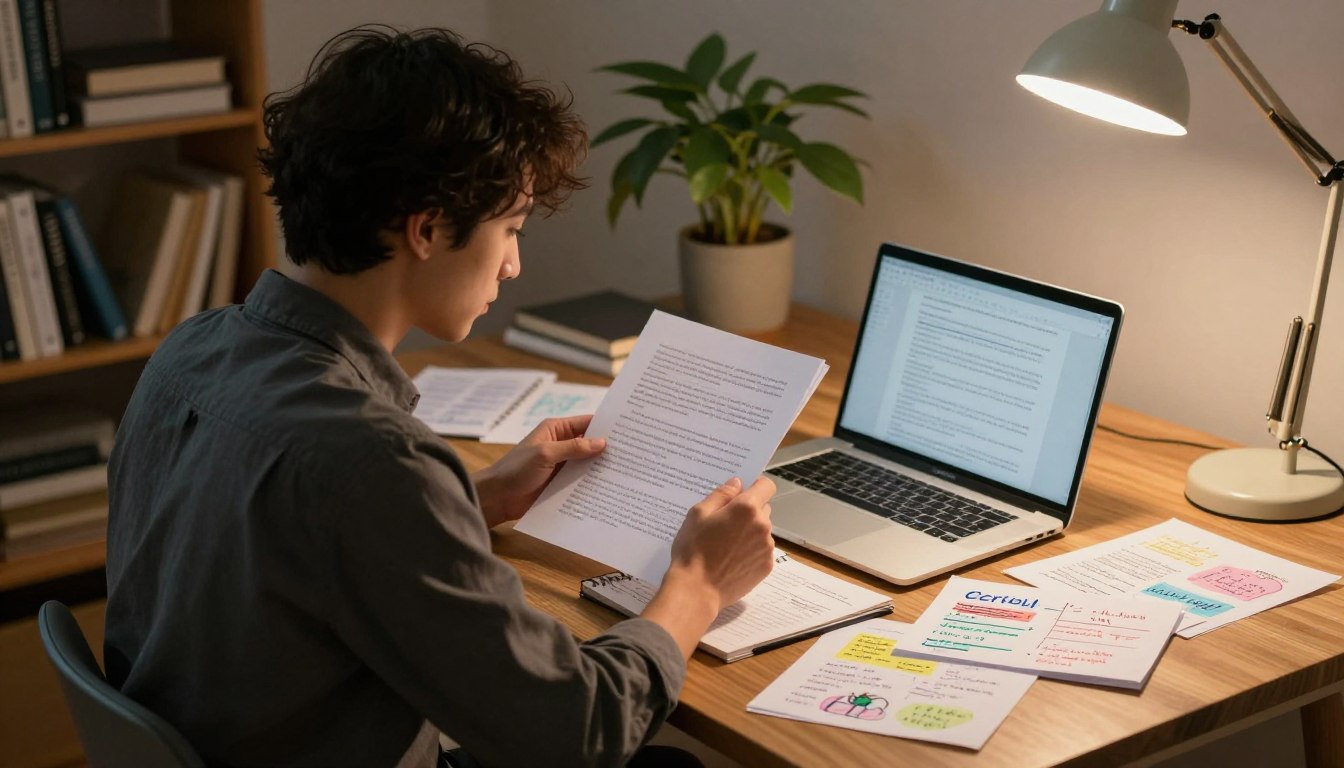
A detector score can raise questions, but it cannot prove who wrote a piece. If you are worried about your readers, your work, or an assignment being flagged, that concern is understandable. Still, no edit can guarantee a particular result from every AI detector.
The dependable approach is to build the work around your own ideas, make the reasoning clear, and follow the rules for responsible use. You can use AI for support when allowed, but you should understand and stand behind the final writing. This keeps your voice and your decisions at the center.
Key Takeaways
- Detector scores are estimates, not proof of authorship.
- Build your argument from ideas you understand and can explain.
- Check the rules before using AI for school, work, or publishing.
- Use AI for support, not as a substitute for your judgment.
- Verify facts, citations, and claims before sharing your writing.
- Keep your notes and drafts as your ideas develop.
Keep your notes and drafts as you work, so you can explain how your ideas developed.
What Does an AI Detector Actually Measure?
An AI detector estimates whether a passage resembles machine-generated writing; it does not identify its author with certainty. Its score is a probability signal: an estimate of the likelihood that text shares patterns associated with AI-generated writing, not proof of who wrote it.
Detectors look for patterns, not a writer’s identity. They may assess predictable phrasing, repeated structures, and uniform sentence rhythms. Those features can appear in human writing, too, especially in short, formal, or heavily edited text.
| Tool or record | What it examines | What it can indicate | What it cannot prove |
|---|---|---|---|
| AI detector | Writing patterns | Similarity to machine-generated text | Who wrote the text |
| Plagiarism checker | Text overlap with sources | Possible matching language | Whether AI wrote the text |
| Writing-process records | Notes, drafts, and version history | How writing developed | That every sentence is original |
A detector score is a signal to examine alongside other evidence, not a verdict about authorship.
Plagiarism checking and AI detection answer different questions. A plagiarism tool looks for text overlap with sources, while an AI detector estimates whether writing patterns resemble machine-generated text.
A detector can also miss AI-generated text. The University of San Diego guide says Turnitin’s AI checker can miss roughly 15% of AI-generated text in a document. That is a false negative: the tool does not flag some text that was generated by AI.
Writing-process records offer a different kind of context. Drafts and notes can show how a piece took shape, but they do not convert a detector score into certainty. Treat a score as a prompt to review evidence, not as a verdict.
How to Make Sure Your Text Is Not AI Detectable Responsibly
You cannot make sure a piece will pass every detector, but you can make sure its claims and reasoning are genuinely yours. Authentic work matters more than chasing a particular detection result, because no editing method can guarantee that a detector will classify writing as human-written.
No free tool or paid rewrite can promise an undetectable result. A service that claims otherwise cannot control every detector, version, or scoring process. Buying a bypass tool also does not resolve whether your use of AI meets the rules that apply to the work.
If you want to make AI text undetectable for free, the responsible answer is not a secret prompt or a free rewriting site. Revise honestly without buying a bypass tool. For a draft that relies heavily on generated prose, return to the topic, verify the claims, and rebuild the argument from your own understanding instead of disguising its origin.
That process may leave you with a different text. Set aside generated wording, identify the ideas that are useful, and decide which points you can defend. A paragraph that sounds polished is not ready simply because its sentences flow smoothly.
People who want to avoid AI detection for free should focus on accurate claims, a clear argument, and permitted AI use, not on a score. This way improves the work itself, even though it cannot dictate how a tool will classify it.
Keep the distinction clear: responsible writing means owning the substance and following the relevant rules. If a rule requires disclosure, disclose the help you used even when a checker gives a low score.
Check the Rules Before You Use AI
Check the syllabus, assignment instructions, or workplace policy before putting AI into your writing process. The rules may allow some tools for brainstorming but restrict generated content, require disclosure, or limit what information you may submit. Permission depends on context, not on a detector’s result.
Confirm permitted use, disclosure, attribution, and restrictions on submitted material. A single course may set different terms for separate assignments. At work, a client contract or confidentiality rule may also shape which tools and content you can use.

| Setting | Where to check | What to confirm | What to do if unclear |
|---|---|---|---|
| Academic course | Syllabus and assignment instructions | Allowed use, disclosure, attribution | Ask the instructor |
| Workplace | AI policy and client terms | Approved tools and restricted material | Ask a manager or policy lead |
| Publishing or client work | Submission terms and agreement | AI disclosure and ownership terms | Ask the editor or client |
University practices differ. By August 2026, at least a dozen U.S. universities, including Northwestern, Georgetown, and New York University, had disabled Turnitin’s AI-detection software.
By August 2026, Yale, Vanderbilt, Johns Hopkins, and Indiana Universities had policies against or discouraging faculty reliance on AI-detection programs as the sole evidence of alleged cheating. A 2026 report found that 73% of surveyed faculty had personally dealt with AI-related academic-integrity issues. That figure describes faculty experience; it does not decide whether a particular use is allowed.
Save a copy of the instructions that apply to your task, especially when they state different rules for brainstorming and submitted text. When the rule is unclear, ask the instructor or responsible editor before submitting the work.
Use AI to Support Your Thinking, Not Replace It
Ask an AI tool to challenge your reasoning, not to supply a finished piece in your place. Feedback can sharpen ideas while leaving the writer responsible for the argument, evidence, and final wording.
No prompt can guarantee that AI text will avoid detection. A request to disguise generated prose does not establish authorship or make the work yours. Instead, use prompts that help you understand a subject, test a claim, or spot a gap in your thinking.
Prompts that ask for feedback rather than finished prose
Useful questions invite critique without handing over the whole task. For example, ask, “What is the weakest part of this argument?” or “What counterargument should I consider?” You can also ask which term may confuse a reader or whether a claim needs stronger evidence.
Then decide what to do with the response. An AI tool can point out a missing counterpoint, but you must judge whether it matters to your topic. Its output may be inaccurate, too broad, or based on an assumption that does not fit your assignment.
Using ChatGPT without handing over authorship
ChatGPT can support brainstorming or grammar suggestions, with you making the decisions about the final work. You might ask it to help sort your own notes into possible themes, explain a difficult concept in simpler language, or identify unclear sentences in a draft you wrote.
A request to write a submission changes the tool’s role. If you accept a complete answer without understanding its reasoning, you may not be able to defend its claims or explain its choices. The output can also introduce facts or phrasing that do not suit your purpose.
Use questions to improve your judgment, not to hide who made the key decisions. Keep the final choice of claims, evidence, and wording in your own hands.
Turn AI-Assisted Material Into Work You Understand
Before revising a generated passage, make sure you can explain its main claim and evidence without relying on the passage. Understanding comes first; surface edits cannot repair an argument you do not grasp.
Rewrite the reasoning from your own understanding, not by swapping synonyms. Changing a few words while keeping an argument you cannot explain is not meaningful revision. A rough note can remind you of an idea, but text ready to submit must state the point accurately and support it.
Use this five-step process to turn AI-assisted material into writing you can stand behind:
- Separate usable ideas from the generated wording. Keep only points that fit your purpose.
- Verify claims against sources. Mark any statement you cannot confirm.
- Outline the argument from your own understanding, in a sequence that makes sense to you.
- Rewrite the reasoning without looking at the generated prose. Work from your outline instead.
- Compare the final draft with the sources. Check that your account remains accurate.
Rebuild the argument from notes and verified sources
Start with brief notes that capture the point of each section, not polished sentences copied from the output. If a claim comes from a source, note what that source actually supports. Separate an idea you want to investigate from a fact you have already established.
Your outline does not need to sound elegant. It needs to help you explain why one point follows another. If you cannot explain a claim aloud without repeating the generated passage, pause and learn more before writing around it.
Revise for meaning before polishing sentences
Check whether each part answers the task and whether the reasoning holds together. Only after the argument makes sense should you focus on sentence-level edits. That order keeps a smooth sentence from disguising an unsupported leap or a misunderstanding.
Keep rough notes distinct from text ready to submit. Notes can contain shorthand, questions, and unfinished ideas. The final draft needs complete reasoning that you can explain, not just a more polished version of a passage you do not understand. Remove any claim you cannot support or explain in your own words.
Add Real Examples Without Inventing Experience
A specific example helps only when it is true, relevant, and connected to the point being made. Details make a point useful when they show how an idea works, rather than simply making content sound more personal.
Do not invent a personal experience to make writing seem human. An example can be clearly labeled as hypothetical, drawn from a verified source, or based on something you actually observed. Each choice gives the reader a different kind of evidence.
Consider the broad statement, “Clear instructions help people complete a task.” A hypothetical example can make its meaning concrete: “For example, a new employee might miss a required step if the instructions name a tool but not the action.” The example illustrates the point, but it does not claim to describe a real event.
If you have a real observation, explain what you saw and why it matters. A course-specific point can connect an idea to the question being studied. Original analysis can explain a pattern in the evidence, while a relevant limitation can show where your conclusion may not apply.
Do not add an anecdote just because you think every piece of human writing needs one. Personal stories are optional, and an invented experience is not a substitute for evidence. A precise example from a credible source can be stronger than a personal detail that does not support the argument.
Voice and tone come from the choices you make about what to include and how to explain it. The quality of an example depends on its truth and relevance, not on how vivid it sounds. If you do not have first-hand experience, use a verified example and identify its source instead of implying it is yours.
Edit for Clarity, Voice, and Sentence Structure
Read the draft aloud and mark the lines that sound stiff, repetitive, or hard to follow. Your ear can catch awkward phrasing that looks acceptable on screen, especially when several sentences share the same shape.
Edit for a real reader, not for a detector score. Repeated sentence openings, formulaic transitions, uniform paragraph shapes, and vague phrasing can make writing monotonous. Changing those habits can improve clarity, but no sentence structure guarantees a particular detection result.
Notice where every paragraph begins with the same kind of claim or uses the same transition. A string of sentences with identical length can feel mechanical, while varied sentence length can make complex points easier to follow. Change a sentence only when the new version carries the meaning better.
Compare the draft with your ordinary professional voice. If you would not use a phrase in a clear email or report, ask whether it belongs in this piece. You do not need to make formal writing casual; you need wording that feels deliberate and suits its audience.
Grammar tools can help catch missed words or punctuation, but review each suggestion before accepting it. A tool may flatten a careful distinction or change the tone. Keep the meaning and the reader’s needs ahead of any automatic preference.
Do not add fake errors, random fragments, or awkward wording to chase a score. Those edits can distract readers without establishing who wrote the work. Keep an edit only if it makes the meaning clearer to a real reader.
Check Facts, Sources, and Copyright
Check every factual claim and citation against the original source before you submit or publish. Accuracy rests on evidence, not on confident wording or a low detector score.
AI detection and plagiarism checking answer different questions. A detector estimates whether writing resembles machine-generated text; a plagiarism check looks for overlap with other text. Neither check replaces careful fact-checking or correct credit.
Use four checks before you send the work:
- Verify each factual claim against the source that supports it.
- Confirm that quotations and paraphrases are attributed.
- Run a plagiarism check for text overlap with sources.
- Follow the applicable citation policy for AI assistance.
Read the original passage, not just a summary or a sentence generated by a tool. Check that quoted words match, paraphrases preserve the source’s meaning, and citations point to the work that supports the claim. A polished explanation can still get a date, number, or relationship wrong.
Copyright questions about generative-AI outputs and training are distinct from whether a detector flags a passage. The U.S. Copyright Office published Part 2 of its Copyright and Artificial Intelligence report on January 29, 2025, addressing copyrightability of generative-AI outputs.
The office released a pre-publication version of Part 3 of the same report on May 9, 2025, addressing generative-AI training. Those subjects concern different questions from a detector result, which estimates writing patterns. A clean detector score does not replace a correct citation or a plagiarism check.
Protect Your Privacy and Keep a Draft Trail
Before pasting material into an AI tool, check whether it contains private or confidential details. Limit what you share to information that is approved and needed for the task.
Keep these five types of information out of prompts unless approved and necessary:
- Passwords or security codes.
- Financial account details.
- Government ID numbers.
- Confidential work or client records.
- Sensitive personal information.

Your document’s version history, notes, outlines, and saved drafts can show how the writing developed. These ordinary records are useful because they preserve changes over time, not because they guarantee how anyone will judge a piece. Keep them in a location you control.
ChatGPT offers settings with different effects. Temporary Chat does not appear in chat history, but conversations may be retained for up to 30 days for abuse monitoring. A chat that is absent from the history is not the same as one that was never held on a server.
Turning off ChatGPT’s “Improve the model for everyone” setting opts consumer prompts out of model training. It does not prevent temporary server retention for abuse monitoring. Check the difference between those settings before deciding what material to enter.
Do not treat a privacy setting as permission to share confidential material. The safest choice is to leave sensitive details out unless the use is approved and needed. Save dated drafts and notes in a place you control before submitting the finished work.
What to Do If Your Own Work Is Flagged
A flag on work you wrote yourself is a reason to gather evidence and ask for a fair review, not to panic. A score needs context, especially when you have notes and drafts showing how the piece developed.
Detector results can include false flags, and some tools have shown bias against non-native English writers. One study of undergraduate anatomy and physiology students found different results across AI detectors, human raters, and combined detector outcomes.
| Outcome | Study sample | Correct identification | False-positive result |
|---|---|---|---|
| Individual AI detectors | 50 student-written and AI-generated essays; four detectors | 93-98% | About 1.3% |
| Human raters | 48 essays; nine raters | 84-95% | 5.0% |
| Combined detector outcomes | Same 50-essay detector sample | Not reported | Nearly 0% |
Keep the result, the document history, and your notes together so a reviewer can consider how the work developed.
The study involved 190 undergraduate anatomy and physiology students. Its findings describe those samples and methods, not every student, assignment, or tool. Turnitin’s latest white paper reported a 0.51% false-positive rate on academic writing at the document level. That rate is not a guarantee about an individual document.
Respond through the process that applies to your setting:
- Preserve the detector score and report.
- Gather your version history and notes.
- Identify the disputed passage and explain its reasoning.
- Request a review under the institution’s process.
Keep your explanation focused on the choices you made and the evidence behind the passage. Ask what information the reviewer will consider, and follow the stated review process. Explain the choices behind the flagged passage in your own words and ask how the result will be evaluated.
Conclusion
The most dependable standard is work you understand, can support, and can explain. Clear reasoning and verified evidence serve readers better than trying to control a detector score.
Use AI transparently when the rules allow it, and keep responsibility for the finished work. The distinction matters: responsible use supports your judgment rather than replacing it.
Your next step is practical. Save the current draft and its version history before you submit, so your notes and revisions remain with the finished work.
Before you submit, save the latest draft with its notes and version history.
FAQ
How is it possible to detect AI-generated text?
AI detectors estimate machine-writing likelihood from patterns such as predictable phrasing, repeated structures, and similar sentence rhythms. Those patterns can also appear in human writing, so a score is a signal, not proof of authorship. A detector cannot identify a writer with certainty, and its result should be considered alongside the writing process and other relevant evidence.
How can we prevent AI from taking over?
Keep people responsible for the ideas, decisions, verification, and final approval. Use AI only for support tasks that the applicable rules permit, such as brainstorming or grammar suggestions. Review its output rather than accepting it automatically, since a tool may introduce errors or assumptions. The person submitting the work should understand its claims and be able to explain why they are there.
What are some effective prompts to avoid AI detection in writing in 2026?
No prompt can guarantee that writing will avoid AI detection in 2026. Use prompts for critique instead of concealed ghostwriting: ask, “What counterargument should I consider?” or “Which sentence is unclear, and why?” You can also ask for questions that test your reasoning. Then make your own decisions about claims, evidence, and wording, while following the rules that apply to the work.
What is the 30% rule in AI?
There is no universal 30% detector threshold that proves a person used AI. A score reflects a tool’s estimate, and its meaning depends on the system and the review policy being used. Check the applicable institution’s policy for its stated process. Do not treat a percentage, including one near 30%, as proof of authorship or misconduct on its own.
What are five things I should never tell ChatGPT?
Avoid sharing passwords or security codes, financial account details, government ID numbers, confidential work or client records, and sensitive personal information unless the use is approved and necessary. Removing names may not make a record safe if other details can identify someone. Use only the information needed for the task, and keep private records out of prompts when you are unsure.
Can an AI detector prove that I used AI?
No. An AI detector score estimates whether text shares patterns associated with machine-generated writing; it does not prove who wrote the text or whether you used a tool. A reviewer should consider relevant process evidence, such as drafts and notes, alongside the applicable review policy. If a score concerns you, preserve the report and explain how you developed the disputed passage.
If you want to dig further into how to do technology detox reclaim your time, read our How to Do Technology Detox Reclaim Your Time guide.
If you want to dig further into is kubernetes tool or technology understandin, read our Is Kubernetes Tool or Technology Understandin guide.
If you want to dig further into what is technology analyst roles skills and c, read our What Is Technology Analyst Roles Skills and C guide.